


Last updated: . This update checks current features and terms for selected travel apps; the family’s app preferences and examples remain historical. Date information added October 28, 2026.
Our original family video: 8 Countries. 10 Days. 1 Amazing European Roadtrip With 5 Kids.
*Disclaimer: This post may contain affiliate links. Opinions shared are my own, and I only endorse products I support. By clicking on any of the links below, I may get a small commission if you purchase at absolutely no additional charge to you. I appreciate your support.*
Europe offers a mix of history, cities, landscapes and food, but the experience—and the travel time between destinations—depends on your itinerary. Since moving here in 2021, we’ve explored many parts of the continent with our family. This guide was first published in 2025; app features, prices and availability can change, so check the current listing and provider details before relying on a tool.
Language and transportation can feel like big parts of trip planning. After visiting 50 countries with five kids, we’ve learned that we can get around even when we aren’t fluent in the local language. We still expect some bumps and plan for snacks, rest and extra time.
I keep a folder of travel apps on my phone. We’ve used them for tasks such as checking routes, translating menus and keeping reservations together. The apps below are tools we’ve tried or considered; features and availability vary by country and device.
My most-used travel app by far? Google Maps! We use it for road trips, public transportation, exploring things to do, and more. I love reading the reviews, and I like how easy the app is to use. On the routes we have taken, its directions have usually been dependable for us.
Downloading an offline map has helped us in places where we had little or no signal. Google Maps offline directions have limits: the route must fit within the downloaded area, and some features, including transit, walking and cycling directions and traffic information, aren’t available offline.
Tip: Before leaving Wi-Fi, download the map area you expect to need and check that it is available offline.
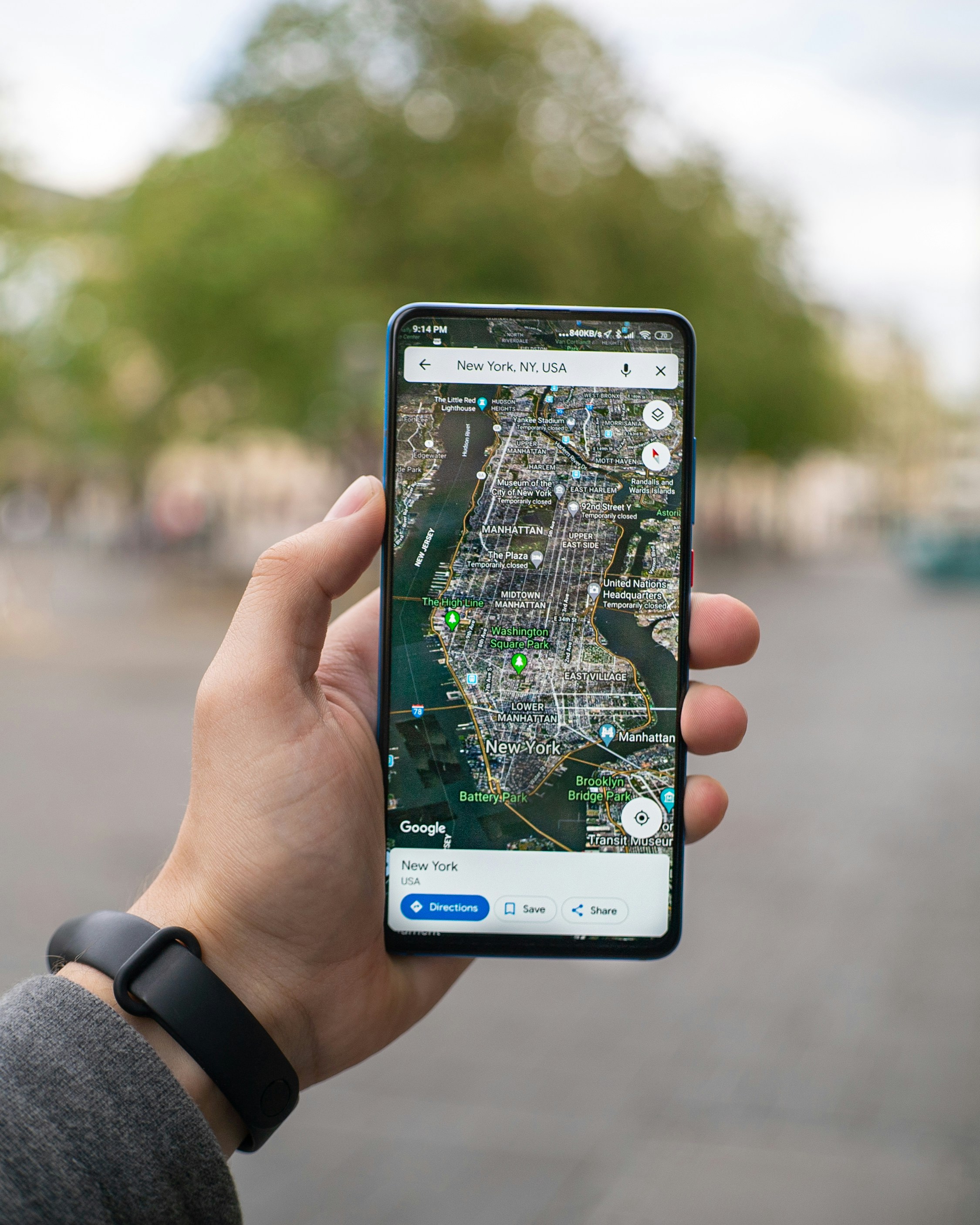
We’ve also used Maps.me for offline navigation. Its maps and features can change, and route details may not always be current, so compare important directions with local signs or another source.
We’ve found that its free features and subscription options have changed over time. We have also encountered an outdated point of interest or an imperfect cycling route, so we treat it as one planning aid rather than the only source of directions.
Rome2Rio can help compare possible ways to travel between two locations, including flights, trains, buses and ferries. Treat its routes, estimated times and prices as planning information; confirm schedules, availability and the final fare with the transport provider before booking.
We use route-comparison tools to spot options, then check the provider’s own booking page for current schedules, conditions and prices.
We have used Citymapper many times while exploring Europe’s crowded cities, and it has worked well for us. Its current App Store listing describes live arrival information, delay and disruption alerts, train-carriage suggestions, and alerts for when to get off or use a station exit. Available features vary by city and route, so I check what the app offers for our destination.

When a city and route are supported, those directions can make an unfamiliar transit system easier to navigate. We still check local service notices and signs along the way.
Both apps make booking cross-border trains and buses easy. You can check prices, seat availability and routes all in one place. They are ideal for Eurail travelers or those making last-minute plans. We did a six-week Eurail trip in 2023 and got to where we were planning what city to go to the next day!
Omio can be super useful when planning multi-leg trips across Europe. It’s great for comparing trains, buses and flights all in one spot, which makes route planning easy, especially when moving between countries. The interface is clean and simple to use, though we’ve noticed it sometimes adds service fees, and the options aren’t always as complete as booking directly. Still, it’s a reliable tool when we want to see all our transport choices at a glance.
Trainline, on the other hand, is a favorite for booking European train travel. It’s consistently dependable, quick, and makes finding the best fares straightforward. We love how fast we can get digital tickets and manage bookings on the go. While the app could have a few more filters and there’s sometimes a small booking fee, it’s still one of the easiest ways to book trains without the trouble of navigating national railway sites.

We have used FlixBus and FlixTrain many times while traveling around Europe on a budget. FlixBus is very affordable and connects many cities, which helps save money. However, delays and basic comfort are common.

FlixBus is super popular in our home country of Portugal. I see the buses heading north or down the beautiful Algarve each time we take a road trip!
We use ride-hailing apps in some places, depending on local coverage. Uber is available in Lisbon, where we use it often; check the app for current service and fare details.
Bolt may be available in some places, including Portugal; fares and coverage vary by location. This also applies to food delivery, which can be a lifesaver when you arrive late with no groceries or just a need a night in with the kids.
We’ve found FreeNow reliable in places such as London and Berlin. Cabify is another ride option, with listings for Spain and Portugal; coverage and fare structures vary by city. Local rules and available services can change, so check current information before using a service in Rome. See our Rome travel notes for context.
Tip: If you plan to use a ride-hailing app, install it and check local availability before your trip. Compare the quoted fare and pickup details when you need a ride.

When we plan stays in Europe, we often turn to Booking.com. With a family of seven, we rarely fit comfortably in one hotel room. I like that Booking.com shows short-term rentals as well as hotels and lets me book more than one room. Cancellation terms depend on the booking. I compare policies for direct reservations and platform bookings, including listings on Booking.com.
We appreciate the variety of accommodation listings we have found there. The filters help us look for what fits our needs. I like filtering for Wi-Fi; since we are usually working while traveling, having a pool can help the kids burn energy. Flexible cancellation options on some of our reservations have saved us more than once. Policies vary by property and rate, so I check the terms and deadline for each stay. Reviews give us useful context, and I read them alongside the listing details.
Tip: Check the exact dates, cancellation terms and payment deadline before confirming a stay. We once booked a Poland stay for the wrong date, arrived a day early and could not get a refund for the unused night.
Although booking directly with a hotel can sometimes be cheaper, I appreciate using an app for multiple queries. I also like the rewards programs, even if they are small. Hotels will turn down their noses on booking apps but, for me, it’s still the most convenient.
We often choose Airbnb when traveling in Europe, especially for longer stays or when we want more space, like a kitchen or a comfortable apartment. In fact, when we travelled full time for more than two years, we lived on Airbnbs! I learned what to cook on Airbnb, how to make them feel like home and more. We sometimes found lower rates on longer bookings, but price and discounts depend on the listing and dates.

Now that more options are available, we have become a bit more selective. Cleaning and service fees can add up quickly, sometimes making it more expensive than a hotel. Reviews are crucial since listings don’t always match the photos, and communication with hosts can vary. We’re also aware of local rules about short-term rentals. See my recommendations on hotels vs Airbnbs here.
For us, Airbnb can offer character and flexibility, with trade-offs. I compare the total price, location and terms before deciding.
TripIt can organize confirmation emails into an itinerary. It offers free and paid plans; features such as alerts depend on the current plan and booking details. Check the plan before upgrading.

For a more interactive planning experience, consider Wanderlog. It’s super visual and makes it easy to map out all your activities. What really sets it apart is the real-time collaboration, perfect when you’re planning with friends or family. And honestly, the free version is more than enough for most of our trip planning needs.
When we search for flights to Europe, these are some of the tools we use. I’ve written many posts on booking flights and tips around that, but my go-to is still Google Flights. I like its calendar, filters and price graph for comparing dates and itineraries. It does not show every available flight, and fares can change, so I use it as a starting point and verify the itinerary with the airline or booking provider.
ChatGPT can help brainstorm routes, questions to research and comparisons, but its answers may be incomplete or wrong. Verify flight availability, prices, schedules and booking terms directly with airlines and travel providers.
Tip: Use AI prompts to generate search ideas, then verify every result with the airline or booking provider. For example:
1. “Find the cheapest way to fly from [City A] to [City B] this month, including nearby airports and layovers.”
2. “Which budget airlines fly this route but don’t appear on Google Flights?”
These tools may not show every airline or itinerary. Search results vary; check nearby airports and airline sites directly when comparing a specific trip.
3. “List 5 layover cities that could reduce this fare by 30–50%.”
A connection or nearby airport can change the total fare and travel time; compare the full itinerary before deciding.
4. “Search for mistake fares or flash deals from my home airport this week.”
Use several search tools as leads, then confirm availability and terms with the airline. No search can guarantee that it has found every deal.
5. “Compare this flight across Google Flights, Skyscanner, Hopper, and airline sites. What’s cheapest right now?”
Compare the same dates, airports, baggage and fare conditions across providers before booking.
6. “Set a 3-day tracking system to alert me if this drops below $150.”
Price alerts can help you monitor a fare when a service offers that feature, but they do not guarantee a specific price or booking outcome.
7. “Would booking two one-ways be cheaper than a roundtrip?”
Compare one-way and round-trip options for your dates; the result depends on the route and fare rules.
Skyscanner offers search options such as its ‘Everywhere’ destination search. Results and participating airlines can vary, so verify the itinerary and fare with the provider.
Kayak can compare travel options across categories. Check current availability and final booking terms on the provider’s site.
Hopper may offer fare estimates and price alerts. I’ve tried Hopper a few times and haven’t found it to be super helpful, but many like it. Forecasts are estimates, not guarantees, and the available fare can change before booking.
We often compare more than one search tool and then check the airline’s own site for the same itinerary. This approach has saved us time and money on many of our trips, but I still compare the dates, baggage, fare conditions and seat choices before booking.
Sometimes a Google Flights link has led me to a better deal. More often, I prefer going directly to the airline’s site so I can choose the exact times and seat options I want. Fare, seat selection and included services depend on the airline and ticket.
PackPoint has helped me with packing anxiety. It can generate a suggested checklist from trip length, destination weather and planned activities; I review and customize the list for our plans.
I like adapting the suggestions to our trip—for example, packing layers for underground walks in Paris or fewer outfits when we have laundry access. It helps us avoid overpacking, but I still add and check essentials such as adapters or medications myself.
I found the free version useful. PackPoint’s current feature page describes Premium options such as TripIt integration; check the current list of features and terms before subscribing.
We sometimes use GetYourGuide tours to browse activities. For messages with friends, hosts or guides, we use WhatsApp when they do too. It requires Wi-Fi or mobile data; charges depend on your carrier and plan.
Now that we live in Europe, we use WhatsApp often. It can be useful for saving contact details for guides or businesses that use it, but messaging preferences vary by person and place. We also use it to keep track of things to share with friends.
We use it to coordinate with travel companions and contact hosts or businesses when they offer it. Check that you have a data or Wi-Fi connection when sending messages.

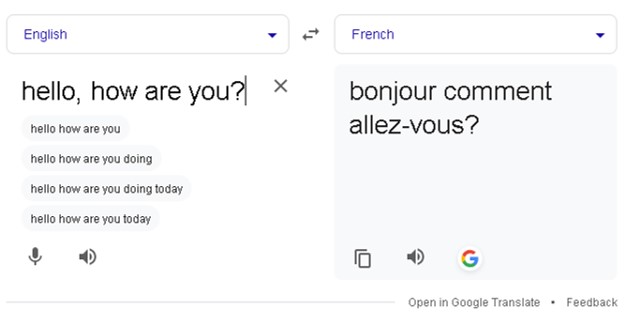
Google Translate has helped us navigate language barriers and menus. Language coverage and features vary, and translations can miss nuance, so use care with important instructions.
The app offers text, camera and voice features for supported languages. Some language packs can be downloaded for offline use; check the current app listing and language options for your device.
We’ve tried conversation translation at church to get some context from talks. It wasn’t perfect, but it helped us follow parts of the conversation.
I also use the camera features A LOT. Camera translation can help read text in supported languages; features vary by language and device. Again, not perfect, but a lifesaver when trying to feed the family! We did a lot of cooking on our Airbnbs in Asia and sometimes it was a wild guess what I was buying! You can see some of my favorites on what to cook here.
We run our business on Google and have used Chrome’s page-translation feature when it is available. Features depend on browser settings and language; review translated booking details carefully.
When preparing for a trip to Europe, we like to tap into language apps to build some confidence before we go. Duolingo is our first choice for learning the basics. It’s fun, engaging and perfect for picking up useful phrases and a general feel for the language. Kids love it!! Just don’t expect fluency. This is grabbing a few keywords, and sometimes what Duolingo offers isn’t all that useful! I don’t really need to know how the cat feels when I visit France. 🙂
Drops is another vocabulary-practice app. Check its current language list, lesson limits and plan terms; short practice sessions are one way to review words, not a full language course.

We’ve used different tools for practice, while keeping expectations modest: a few learned phrases can be useful, and local communication may still take patience.
For travel budgeting, a currency converter can help estimate prices. Exchange rates and card conversion terms change, so check the amount and fees shown by your provider.
Tip: My phone’s calculator has a currency-conversion feature. I still make the kids do some math! For more currency tools, compare the current app features and rate-update details.
We’ve kept currency-converter apps on our phones, including XE and My Currency Converter. Check the current app listing, rate source and offline options before relying on one.
Some converters store a recent rate for offline reference. That rate may be stale; confirm the current conversion before making a payment or setting a budget.

When we travel in Europe, keeping track of money is important. Exchange rates move, so compare the current amount with your budget. You might be surprised how much things actually cost later!
Tip: When a card terminal offers to charge in your home currency or the local currency, compare the displayed amounts and your card issuer’s terms. Dynamic currency conversion may add a markup; your card provider’s rate and fees also depend on its terms.
TravelSpend is one option for recording travel expenses. Check its current plans and features; offline logging and other tools may depend on the service and device.
Splitwise can help groups record shared expenses. Confirm which features are included in the current plan and agree how your group will settle balances.
We use budgeting tools as records to help us review spending; they do not replace checking receipts, exchange rates or provider charges.
Wise offers a multi-currency account and card in eligible locations. Fees, ATM allowances and account features depend on where the account was opened and can change; check Wise’s current fee page for your card.
A Wise card may be convenient for spending in different currencies, but the conversion, ATM and other fees depend on the account’s current terms and the transaction. Review those details before using it abroad.
We also use the Charles Schwab debit card. Schwab’s current terms describe ATM fee rebates, but reimbursement and other charges depend on account and transaction terms.
Schwab’s current checking information describes unlimited ATM fee rebates worldwide, while fees from dynamic currency conversion are not rebated. Check the current account terms and choose the transaction currency carefully.
I keep some cash available as a backup. In places such as Egypt we found cash useful, though payment practices and ATM access vary. Check current account terms for any fees or balance requirements.
When planning activities, I compare tours and tickets across providers and read the details for the specific date and attraction.
We’ve shared European tickets and a Paris macaron class as examples to explore. For bookings, compare tour listings from providers such as Viator and GetYourGuide. Availability, entry arrangements and queues depend on the selected attraction and ticket; check the exact offer details before booking.
Viator and GetYourGuide list different tours and activities. Compare the meeting point, inclusions, cancellation terms and entry instructions for the specific offer; “skip-the-line” wording does not guarantee there will be no wait.
We compare options when a tour is part of our plans, then check the provider’s details and timing before paying.
When we search for restaurants or attractions in Europe, Tripadvisor is usually our first stop. We appreciate browsing restaurant reviews and attraction reviews and photos on Tripadvisor, but I approach some reviews skeptically—some do not feel genuine to me. We read more than one review and confirm practical details with the venue.
We’ve checked Yelp in London or Paris, but review coverage varies by city. Compare more than one local source when listings are sparse.

We’ve used Culture Trip articles for ideas about places to explore. See our family travel guide for other family-travel suggestions. Verify current opening details and access with the venue.
We’ve used travel writing to find ideas, then checked the attraction or business directly before making plans.
Local guides can add context, but opening hours, access and booking options change. Confirm details with the destination before setting out.
For mobile data, we’ve looked at Holafly, Airalo and Nomad; see our international family travel apps guide for related tools. Plan features, coverage, prices and data limits depend on the provider, destination and device. We keep both US and Portuguese numbers, but that doesn’t automatically rule out a travel eSIM: Apple says supported iPhone models, including iPhone 13 and later, can use two eSIMs, although only one line uses cellular data at a time. Check your phone model, unlock status, carrier and plan before buying.
We’ve used one of the kids’ phones for a travel eSIM when that device was compatible. Before buying, check the phone is unlocked and supports the provider’s plan and network bands.
Holafly’s plans and features vary by destination. Check the current details on Holafly’s page for the exact offer’s coverage, data allowance, validity, hotspot, calling and support terms before buying.
Airalo offers destination-specific plans. Review the current plan details in the Airalo app for coverage, data allowance, validity, hotspot and any call or text features.
Nomad offers destination-specific plans. Compare Airalo with Nomad and check the current offer’s coverage, data allowance, hotspot terms, compatibility and any promotion before purchase.

For general trip-planning ideas, see our family travel tips. Bounce lists luggage-storage locations in some cities. Availability, hours, prices and protection terms vary by location and booking; check the specific listing before leaving bags.
When a storage location fits our plans, booking ahead can let us explore without carrying bags. Confirm the drop-off address, hours and collection deadline.
Prices, hours and protection terms vary by location and booking. Read the listing and check the storage provider’s instructions before leaving luggage.
Traveling through Europe has been rewarding for our family. Each destination has its own character, and travel also brings practical details to work through. Apps can help with some logistics, alongside current information from transport providers, venues and local services.
Whether you’re planning a romantic weekend in Paris, backpacking through the Balkans or hopping between Mediterranean islands, the right tools can help with planning while you focus on the moments that matter. From finding that perfect espresso bar hidden down a side street to tracking your spending in a new currency, each app helps make your trip smoother and more enjoyable.
Before leaving, download or set up the tools you expect to use and test them while you have internet access. Keep important booking details available offline and verify plans when schedules or service notices change. Safe travels!




Check out your travel necessities from a comprehensive list of all the 7Wayfinders Travel Must-Haves. Click Here!
Find a nice hotel in Expedia, or Vrbo, (we also love Tripadvisor and Hotels.com)
Explore activities, including this linked Mt. Fuji and Hakone tour in Japan, through GetYourGuide, Airbnb Experiences, or Viator
Need to rent a car to navigate the city? Visit Rentalcars.com.
Get insured while traveling with World Nomads / SafetyWing
Want to have a photo shoot while traveling? Check out flytographer!
Capture your best memories with a GoPro, Sony camera, or our favorite drones: DJI FPV, Air, and Mini
Check out your travel necessities from a comprehensive list of all the 7Wayfinders Travel Must-Haves. Click Here!
Best Apps For International Family Travel
30 Family Travel Items You Need Before Your Next Trip!
My Top 10 Must-Have Travel Products For Family Travel
Best Beaches Around Lisbon for Families with Kids
Staying at Four Seasons Vilamoura as a Family: Magic in the Algarve
Ultimate Algarve Guide With Kids: A Family Guide From an Expat Mom of Five










 Facebook
 Pinterest
 Youtube